Explore our comprehensive tutorial for using IPTV Smarters Pro on Firestick. This guide will walk you through the installation process, explain the features of IPTV Smarters Pro, and highlight its benefits. Additionally, we provide troubleshooting tips to ensure uninterrupted streaming.
What is IPTV Smarters Pro ?
IPTV Smarters Pro is a popular IPTV (Internet Protocol Television) application that allows streaming of live TV, films, and on-demand content on your Firestick. With its user-friendly design and support for multiple IPTV services, it has become a top choice for those cutting the cord.
IPTV Smarters Pro offers a vast selection of international channels and media in one convenient app. Whether you’re into sports, movies, or TV shows, it caters to all viewing tastes.
Installing IPTV Smarters Pro on Firestick
Setting up IPTV Smarters Pro on your Firestick is easy. Follow these steps:
- Turn on your Firestick and navigate to the home screen.
- Click on “Settings” from the top menu.
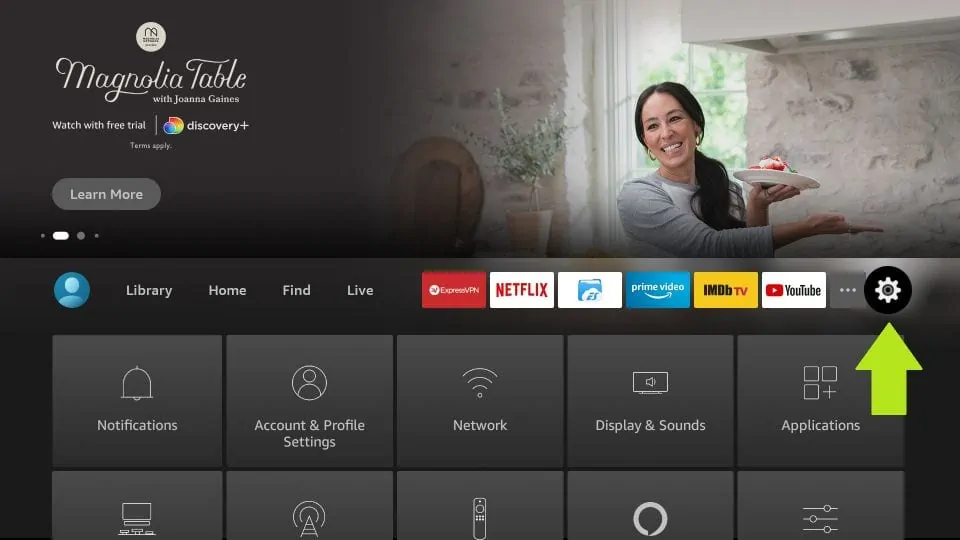
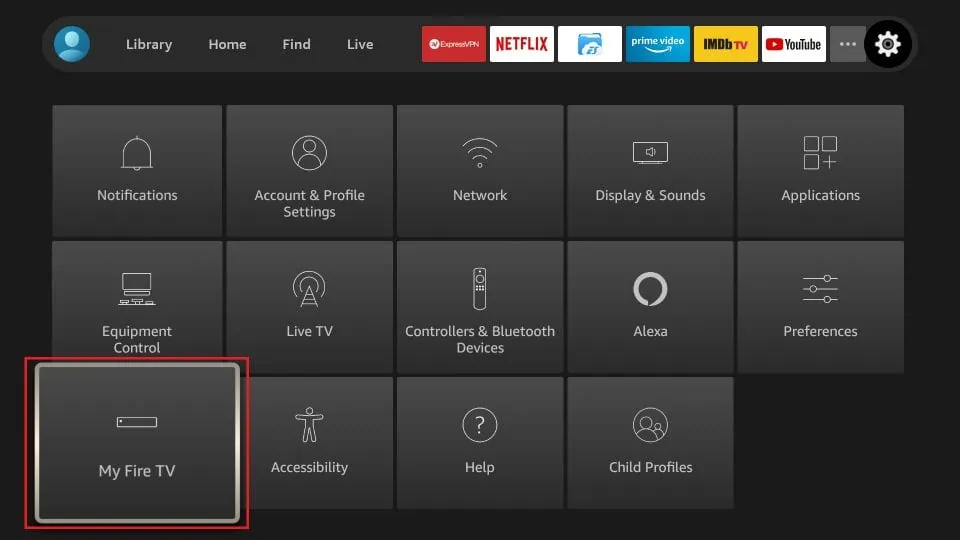
- Select “Device” or “My Fire TV,” depending on your device version.
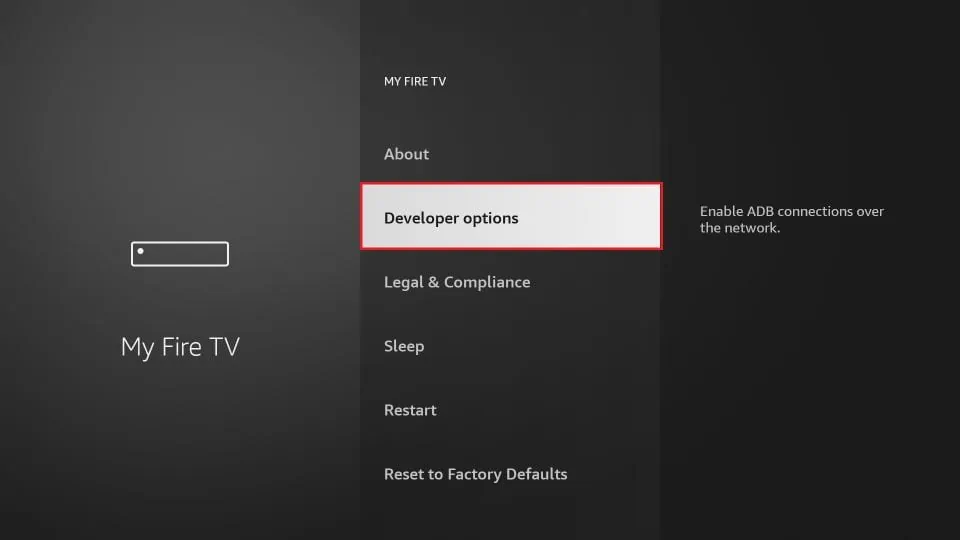
- Choose “Developer Options.”
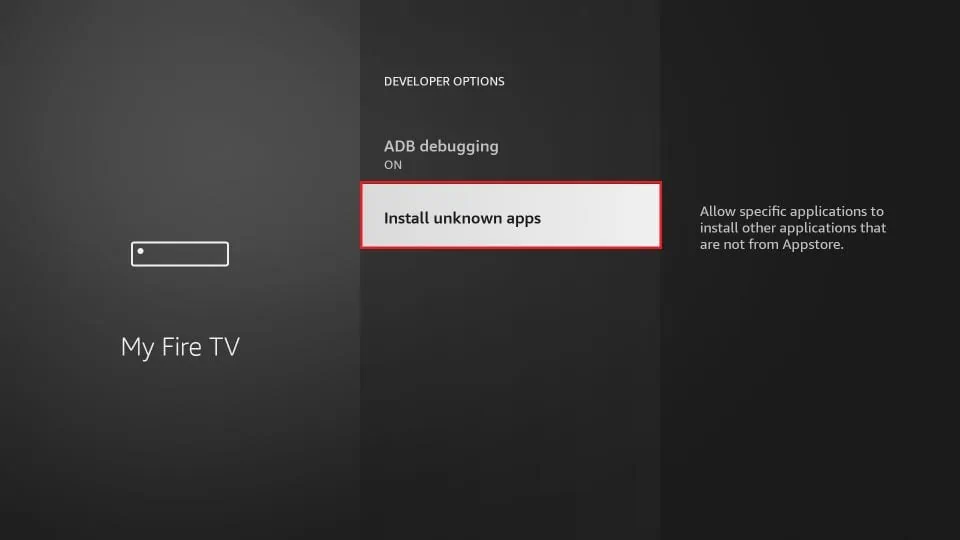
- Enable both “Apps from Unknown Sources” and “ADB debugging.”
- Return to the home screen and search for the “Downloader” app using the search bar.
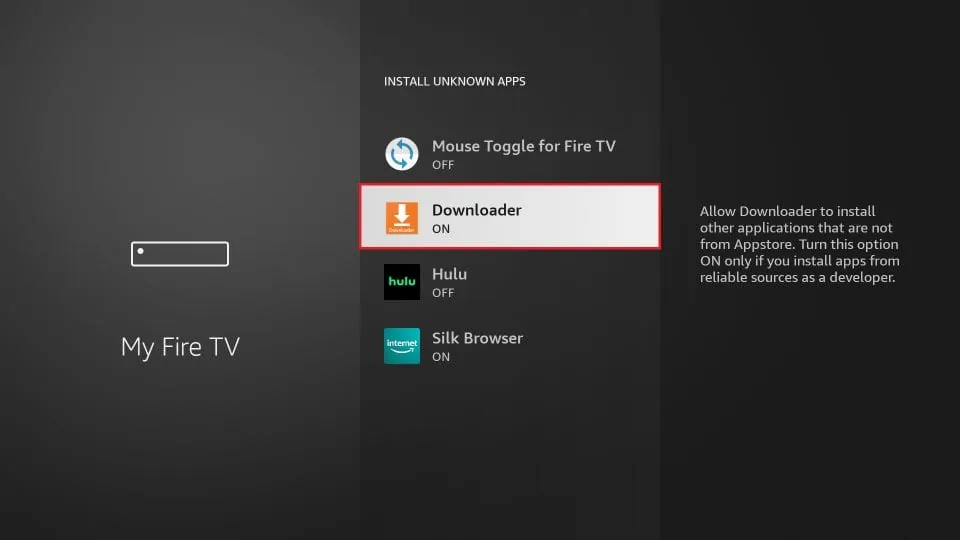
- Install and open the Downloader app.
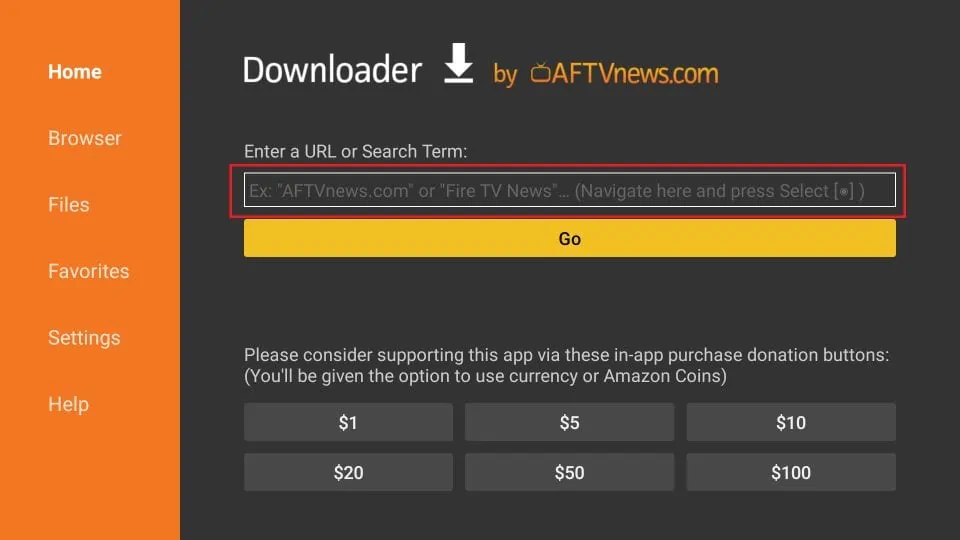
- In the Downloader app, enter this URL to download IPTV Smarters Pro: https://www.iptvsmarters.com/smarters.apk
- Wait for the download to complete, then install the app.
- Once installed, launch IPTV Smarters Pro and start the configuration.
With IPTV Smarters Pro now installed on your Firestick, let’s move on to setting it up.
Setting up IPTV Smarters Pro
Configuring IPTV Smarters Pro is simple. Adhere to these steps:
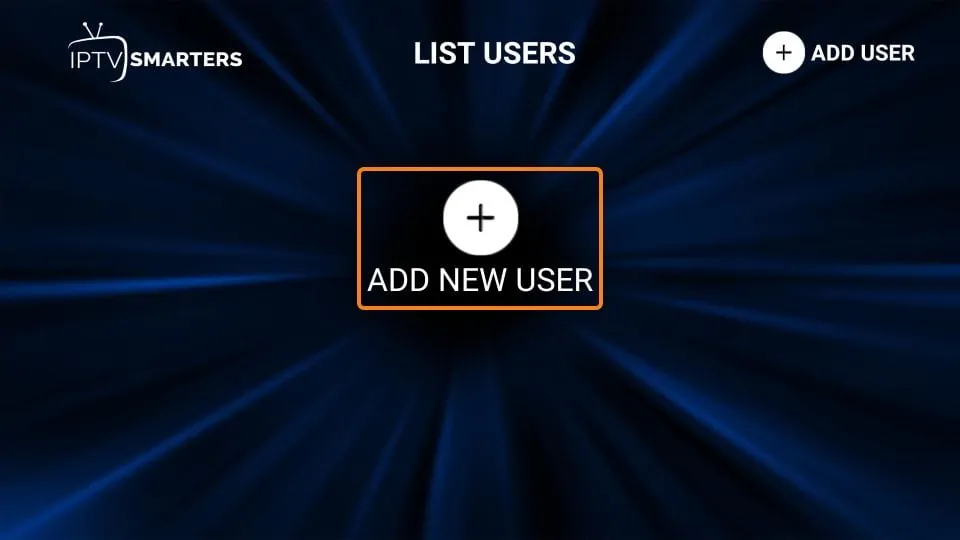
- Open IPTV Smarters Pro.
- Input your login credentials when asked, using the username and password from your IPTV provider.
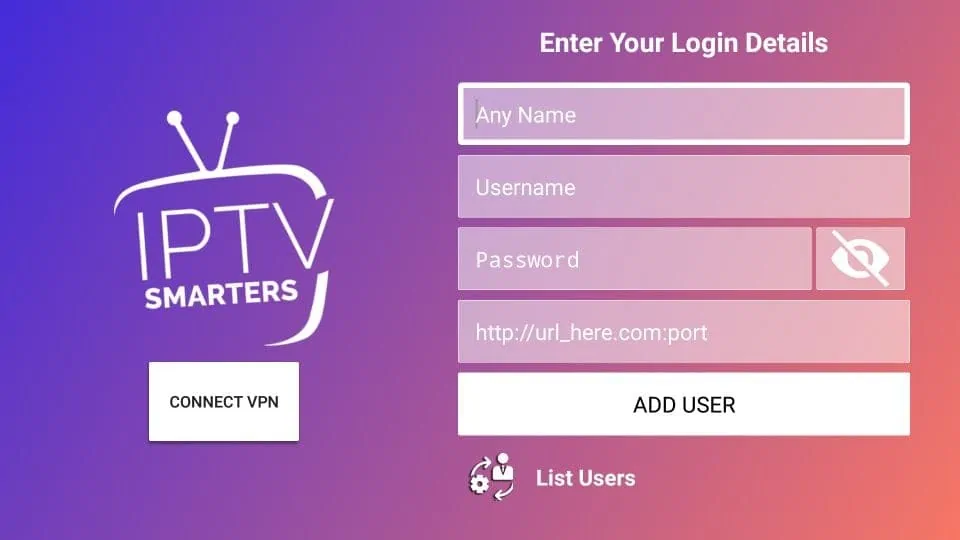
- After logging in, you can explore the app’s content and features.
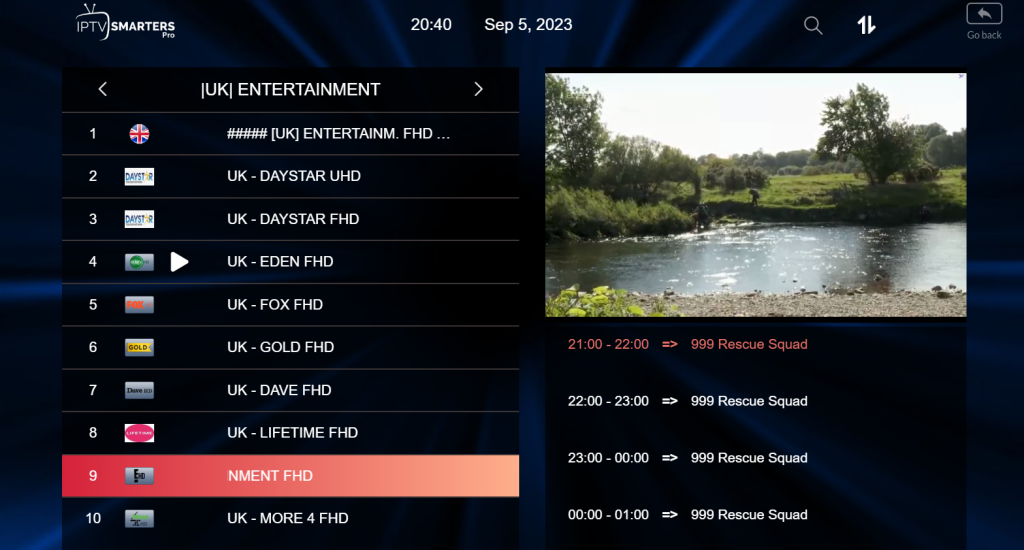
Keep in mind that IPTV Smarters Pro supports various IPTV services, so you can pick one that suits your preferences.
Features of IPTV Smarters Pro
IPTV Smarters Pro boasts many features to enhance your viewing:
- Wide Range of Channels: Access a broad variety of live TV channels from around the world and different genres.
- VOD (Video on Demand): Enjoy movies and TV series on demand at your convenience.
- Multi-Screen Support: Watch multiple channels simultaneously with multi-screen capability.
- Electronic Program Guide (EPG): View program schedules to plan your watching.
- Parental Control: Set parental controls to restrict access to specific content.
- Support for External Players: Choose external media players for a customized streaming experience.
These features make IPTV Smarters Pro a versatile and user-friendly app for Firestick.
Troubleshooting Common Issues
While IPTV Smarters Pro is reliable, you may encounter some problems. Here are typical issues and solutions:
- No Audio or Video: Check your internet connection and ensure your IPTV subscription is active.
- Buffering: Clear the cache and reduce video quality in settings to decrease buffering.
- App Crashes: Update to the latest version or reinstall the app if crashes persist.
- Guide Not Loading: Verify your EPG data is up to date and refresh the guide.
Following these troubleshooting steps can resolve most issues for smooth streaming.
In conclusion, IPTV Smarters Pro is an excellent choice for Firestick users looking for a wide array of TV channels and on-demand content. Its intuitive interface, rich features, and compatibility with multiple IPTV services make it perfect for cord-cutters.
By following the installation and setup instructions above, you can quickly start enjoying IPTV Smarters Pro on your Firestick.
Frequently Asked Questions
Frequently asked questions about IPTV Smarters Pro on Firestick include:
- Q: Is IPTV Smarters Pro free to use?
A: The app is free to download, but a subscription to an IPTV service is typically required to access content. - Q: Can I use IPTV Smarters Pro on other devices?
A: Yes, it is available on other platforms such as Android, iOS, and Windows. - Q: Is IPTV legal?
A: The legality of IPTV varies by country and content. Always use IPTV services responsibly and in line with local regulations.
For more specific questions or assistance with troubleshooting, reach out to the official IPTV Smarters Pro support team.
——————————————
This guide has covered all the key details for using IPTV Smarters Pro on your Firestick. From setup to problem-solving, we’ve prepared you to make the most of this adaptable streaming app. Stream your favorite TV channels and content seamlessly with IPTV Smarters Pro!
——————————————
Thank you for reading our guide, and we hope it has been helpful in enhancing your Firestick streaming with IPTV Smarters Pro. For further questions or support, feel free to get in touch.